
Blog · · AuraNexas Web Team
Connect CRM Systems With AI-Powered Business Workflows
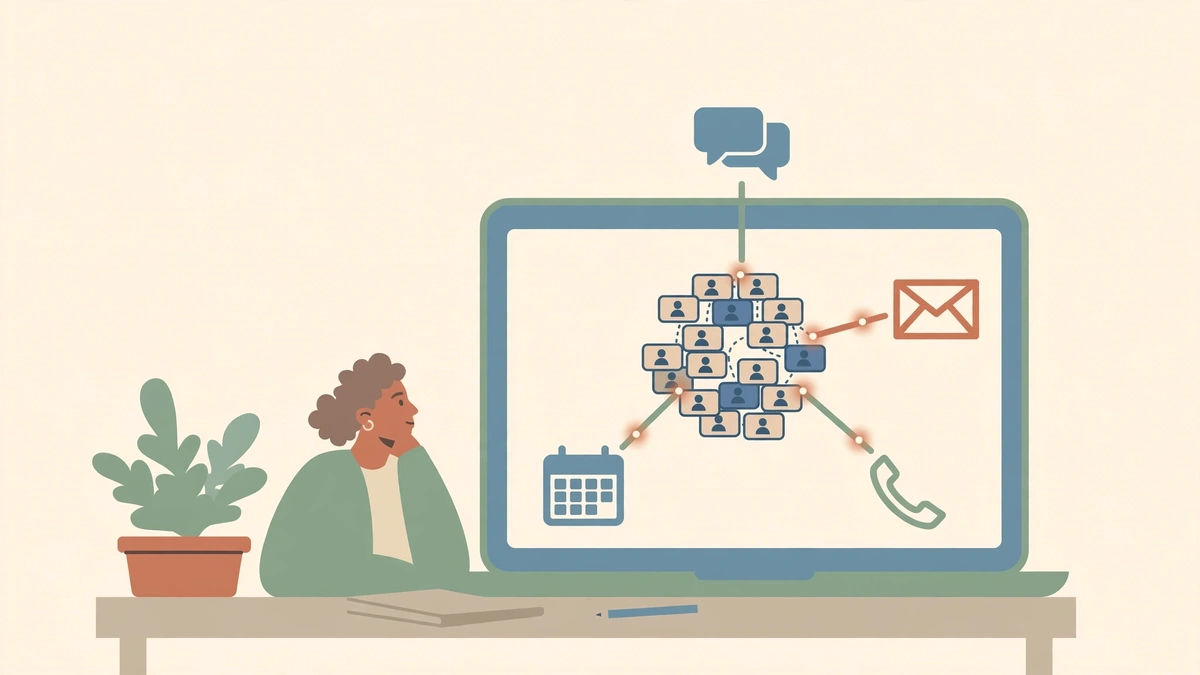
Connecting your CRM to AI-powered workflows means leads, calls, emails, and deals flow into one system of record automatically — with AI scoring, summarising, and drafting — while a person verifies anything the AI writes before it touches the record. The CRM is the single source of truth; the AI is a worker that files things into it, not a second source of truth competing with it.
In most businesses the CRM is not the single source of truth, because getting data into it depends on people remembering. The connection fixes the remembering. It does not fix a CRM nobody trusts — so this guide starts with cleaning, not connecting.
Step 1: Clean the CRM before you connect anything
A connection that moves dirty data faster just makes the dirt arrive sooner. Before connecting anything, fix the basics: one record per person and per company, required fields actually filled in, pipeline stages that match how deals really move, and owners assigned to every open deal.
Clean data is the backbone of effective routing and automation. If a quarter of your records are incomplete or duplicated, the automation will route leads to the wrong person and score them on missing fields — and the team will stop trusting it within a week. Spend a day on this. It is the least glamorous step in the guide and the one that decides whether the rest works.
Step 2: Choose the connection route
There are three routes, in order of simplicity. Native integrations: the app already connects to your CRM — HubSpot's marketplace, Salesforce's AppExchange, or a built-in connector. Workflow platforms: Zapier, Make, or n8n sit between the apps and the CRM, moving data when something happens. Direct API: custom code that talks to the CRM's API, for high volume, unusual logic, or real-time movement.
Use native integrations first; they are maintained by the vendor and they handle the field mapping for you. Use a workflow platform when no native integration exists, or when the flow needs logic — if this, then that, with an AI step in the middle. Our n8n vs Zapier vs Make comparison covers which platform fits which team. Do not choose the API route for a flow a native integration already does well.
Step 3: Map the fields — the worksheet that decides everything
| Source field | CRM field | If empty | If conflict |
|---|---|---|---|
| Form: work email | Contact: email | Reject the record to a review queue | Keep the existing CRM value |
| Form: service needed | Deal: service | Ask the AI to classify from the message | Person decides |
| Chat transcript | Contact: notes | Skip | Append, never overwrite |
| Call summary (AI) | Deal: last activity | Hold for human verification | Person decides |
Two rules govern the whole table. First, never overwrite good data with a guess: AI-generated summaries are appended or held for verification, never written over a field a person filled in. Second, keep the prospect's original words separate from the model's interpretation, so a salesperson can see what the lead actually said.
Step 4: Deduplication and the single-source-of-truth rule
Decide what counts as the same person before the first record is created: same email address, same phone number, or same company domain — and in which order those are checked. The CRM should create or update a record, de-duplicated against existing records, and assign it to the right salesperson by territory, product, or round robin.
Set the routing rules in the CRM's own workflow tool where possible. In HubSpot, the Workflows tool handles enrollment triggers, if/then branches, and owner rotation — but it needs Marketing Hub Professional or higher, and "Rotate record to owner" needs at least Sales Hub Professional. Check your plan before you design a flow around a feature you do not have. And set a fallback owner: a lead that cannot be routed goes to a named person, not into a void.
Step 5: Add AI where it helps — with verification before write
AI earns its place in a CRM in four places: scoring that learns from your closed deals, drafted replies your reps approve in one click, call summaries logged automatically, and records that clean themselves. Each one follows the same rule: AI capture, human verification, then deliberate sync.
Most integrations fail not because transcription or connection does not work, but because they auto-dump unverified summaries directly into CRM records. Some tools enforce the safe pattern by design: a native HubSpot integration can sync per note, manually, rather than pushing every meeting into the CRM automatically. For Salesforce, where a native connector may not exist, the supported path often runs through Zapier into Salesforce objects such as Opportunities, Contacts, and Tasks. Our lead qualification guide covers the scoring and routing design.
Step 6: Two-way sync without overwriting good data
Two-way sync means changes in either system appear in the other — and that is exactly where data gets destroyed. Use explicit field mapping with a no-overwrite option where the integration offers one, so the sync does not clobber data your team manages manually elsewhere. Decide per field which system wins on conflict, write it in the mapping table, and test it with a record you control before you sync a thousand real ones.
Then monitor it. A weekly CRM hygiene check — duplicates created, records without owners, deals stuck in one stage, AI writes rejected — takes thirty minutes and catches the drift before the team stops trusting the system. If your team stops trusting the CRM, they will keep their own spreadsheets, and you will have two sources of truth again — which is where you started. If you want help connecting your CRM, visit AuraNexas and bring your CRM name, your pipeline stages, and the three fields that matter most.
Want help with this?
AuraNexas builds AI automation, chatbots, websites, branding, and lead generation for small businesses. Tell us the one job in this guide that costs your team the most time, and we will scope it with you — no obligation, no invented promises.
Frequently asked questions
- What is the best way to connect a CRM to AI workflows?
- Start with a native integration if one exists, use a workflow platform such as Zapier, Make, or n8n when you need logic or an AI step, and use a direct API only for high-volume or unusual flows. Clean the CRM first.
- Should AI write directly into my CRM?
- No — not without verification. Let the AI capture and draft, let a person review, then sync only what was confirmed.
- Do I need HubSpot Professional for CRM automation?
- HubSpot's Workflows tool requires Marketing Hub Professional or higher, and round-robin owner rotation needs at least Sales Hub Professional.
- How do I stop duplicate CRM records from automation?
- Define what counts as the same person, deduplicate on create, set a fallback owner for anything unmatched, and review duplicates weekly.
About the author
AuraNexas Web Team — Web Lead, final-year BSc (Hons.) Agriculture student, The Islamia University of Bahawalpur (IUB). AuraNexas is a digital agency offering AI automation, chatbots and SaaS, web and app development, branding and UI/UX, lead generation, ads and cold email, AI UGC and video sales letters, e-commerce, and virtual assistance. Team: Web Lead (owner/CEO), Muhammad Waseem (AI automation), Ali Hasnain (AEO/GEO). No client results, testimonials, or revenue figures are claimed in this article.
Sources
- Stixx Digital, "CRM Integration: Salesforce, HubSpot, Proclaim" — CRM as single source of truth; official integrations and APIs; field mappings, deduplication, routing rules; document everything. Confirmed via search 18 Nov 2026.
- Reform, "How to Set Up Lead Routing in HubSpot" — Workflows need Marketing Hub Professional or higher; "Rotate record to owner" needs Sales/Marketing Hub Professional. Confirmed via search 18 Nov 2026.
- Default, "How to Set Up Lead Routing in Hubspot: Step-By-Step Guide" — Contact-based workflows, form triggers, if/then branches, round-robin vs direct assignment. Confirmed via search 18 Nov 2026.
- Granola, "Sales AI notetaker integration guide: connecting to Salesforce, HubSpot, and your CRM" — AI capture, human verification, then deliberate sync; HubSpot native, Salesforce via Zapier. Confirmed via search 18 Nov 2026.
- Aenfinite, "CRM Automation — HubSpot, GoHighLevel & Salesforce [2026]" — Two-way syncs often built on self-hosted n8n; AI scoring, drafted replies with human approval, call summaries logged automatically. Confirmed via search 18 Nov 2026.